













Wild Dice Casino — Password Recovery and Secure Access
Welcome to Wild Dice: Access Your Account in Seconds
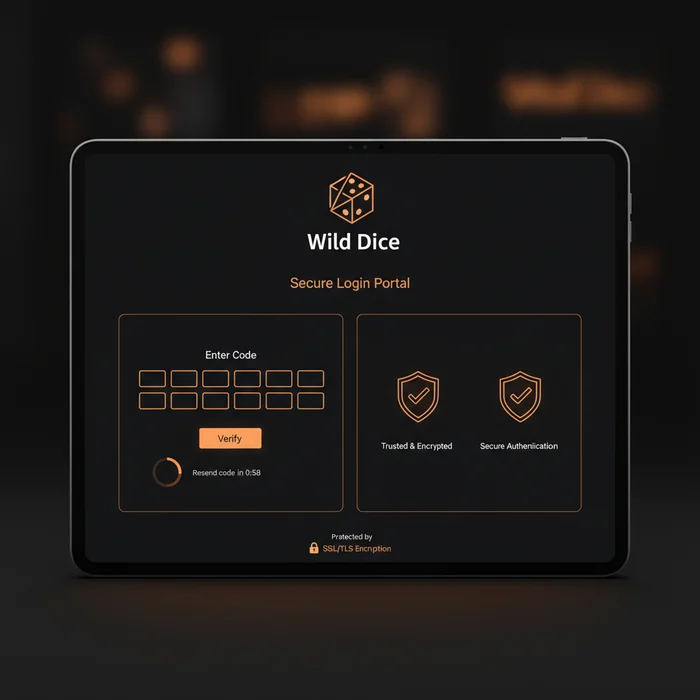
Wild Dice Casino provides a secure login process with password recovery and two-factor authentication for players.
Once logged in, the entire platform opens up to you: your personalized dashboard, your gaming history, your active bonuses on the promotions page, and of course the full games catalog. We've designed every step of the login experience with mobile users as the priority — because that's where most of our players join us today.
How to Log In to Wild Dice: Step-by-Step Guide
You might be wondering whether the process is complicated. Honestly? It's not. Here's exactly how it works, whether you're on a smartphone, tablet, or computer.
Step 1: Go to Wild Dice
Open your preferred mobile browser — Chrome, Safari, Firefox — and navigate to wild-dice-casino.org. The homepage loads in just a few seconds, even on a standard 4G connection. On 5G, it's nearly instant.
In the top right corner of the screen, you'll find the "Log In" button. On mobile, it's deliberately prominent and thumb-friendly — we've optimized the interface for one-handed navigation. Tap it to open the login form.
Step 2: Enter Your Credentials
The Wild Dice sign in form simply asks for your email address and password. On mobile, the keyboard adapts automatically: an email keyboard for the first field, a standard keyboard for the second. No unnecessary steps.
If you've enabled credential saving in your browser or password manager (which we recommend), a single tap is all it takes to fill in both fields. Check "Remember me" if you're on your personal device — your session will stay active between visits.
Step 3: Two-Factor Authentication
If you've enabled two-factor authentication (2FA) — and we strongly encourage you to do so — an additional step will appear after entering your credentials. You'll receive a one-time code via SMS or through an authentication app like Google Authenticator.
On mobile, this step is particularly seamless: if the code arrives by SMS, your Android or iOS device can detect it automatically and suggest it as an autofill option. In practice, it takes less than ten seconds. Enhanced security doesn't have to mean slow.
Step 4: Access Your Dashboard
Login confirmed — you're now in your personal space. The mobile dashboard prioritizes your balance, active bonuses, and recently viewed games. The interface adapts to both portrait and landscape mode depending on your device's orientation.
From there, everything is just two or three taps away: the full catalog, the cashier for deposits and withdrawals, your transaction history, and customer support. We've designed this navigation so you can find what you're looking for without ever needing to zoom in or scroll through endless menus.
Available Login Methods on the Platform
Here's an overview of the different ways to log in to Wild Dice Casino, depending on your device and security preferences.
| Login Method | Availability | Security Level |
|---|---|---|
| Email + password | All devices | Standard |
| Social login (Google) | Mobile & desktop | Good (depends on Google account) |
| Wild Dice mobile app | iOS & Android | High |
| Biometrics (fingerprint / Face ID) | Mobile (app) | Very high |
| One-tap login (saved session) | Mobile (browser & app) | Medium (device-dependent) |
Each method suits a different use case. Biometric login via the app offers the best balance of speed and security for everyday smartphone use. Classic email login remains the universal standard, compatible with all browsers and operating systems.
Wild Dice on Mobile: Browser or App?
It's a question many new players ask. The short answer: both work great. The longer answer: it depends on your habits.
Via Mobile Browser
The Wild Dice website is fully optimized for modern mobile browsers. On Chrome (Android) or Safari (iOS), the login page loads quickly, the fields are well-sized for fingers, and switching between portrait and landscape mode won't interrupt your session. No need to install anything.
This option is ideal if you play occasionally or prefer not to add more apps to your phone. The browser version gives you access to the full catalog — no features are removed compared to the desktop version.
Via the Dedicated App
For an even smoother experience, our Wild Dice app is available on iOS and Android. It offers real advantages: biometric login (fingerprint or Face ID), push notifications for your bonuses and promotions, and optimized loading times even on a busy 4G network.
The touch controls have been redesigned specifically for the app — tap targets are larger, animations are lighter, and navigation between sections is faster than in a browser. If you play regularly from your phone, this is clearly the way to go.
Exclusive Mobile Features
The app includes a few features not available in the browser: personalized push notifications (bonus alerts, tournament reminders), secure automatic reconnection, and simplified mobile payment management via Apple Pay and Google Pay. These payment options are directly accessible from the app's cashier, with no external redirects.
Whether you're on an iPhone 15 or a mid-range Android, the experience remains consistent. We regularly test compatibility across a wide range of devices to make sure no one gets left behind.
Troubleshooting Login Issues
It happens to everyone. A forgotten password, a temporarily locked account, or a page that won't load properly. Here's how to quickly resolve the most common situations.
Forgotten Password
Don't worry — recovering access to your Wild Dice account is simple and quick. Just follow these steps:
- On the login page, tap "Forgot your password?" below the form.
- Enter the email address associated with your Wild Dice account and confirm.
- Check your inbox — you'll receive a reset link within minutes (check your spam folder too, just in case).
- Click the link, choose a strong new Wild Dice password, and log back in normally.
The reset link is valid for a limited time for security reasons. If it expires before you use it, simply restart the process from the beginning.
Locked Account
Your account may be temporarily locked after several consecutive failed login attempts — this is an automatic protection measure against unauthorized access attempts. The lockout is temporary and typically lifts after a short waiting period.
If the lockout persists or if you believe your account has been compromised, contact our customer support directly through the platform. The team is available via live chat and can verify your identity to restore access securely. Do not attempt to bypass the lockout by creating a new account — this goes against our terms of use.
Browser Issues
If the login page isn't displaying correctly or the form isn't responding, start by clearing your browser's cache and cookies. On mobile, this option is usually found in the browser settings under "Privacy" or "Browsing data".
We recommend using a recent version of Chrome, Safari, Firefox, or Edge for optimal compatibility. Very outdated browsers or beta versions can sometimes cause unexpected behavior. If the issue persists after clearing the cache, try logging in using private browsing mode to isolate the cause.
Protecting Your Account: Essential Best Practices
The security of your Wild Dice Casino account is first and foremost our responsibility — but it's yours too. Here are the habits to adopt so you can play with complete peace of mind.
Choosing a Strong Password
A good Wild Dice password combines at least 12 characters, uppercase letters, numbers, and special characters. Avoid common words, birth dates, or obvious sequences like "123456". A password manager like Bitwarden or 1Password can generate and store complex passwords for you — it's both convenient and secure.
Never reuse the same password across multiple sites. If another service is compromised, your gaming account stays protected.
Enabling Two-Factor Authentication
2FA is one of the most effective protections against unauthorized access. Even if someone obtains your password, they won't be able to log in without the temporary code sent to your phone. Enable it from your account's security settings — the process takes less than two minutes.
On mobile, integration with apps like Google Authenticator or Authy is straightforward. Just scan the QR code displayed on the platform, and you're all set.
Staying Vigilant Every Day
Always log out after each session on a shared device. Be wary of emails or text messages asking for your credentials — we will never ask for your password via email. If you're unsure about a message you've received, verify it directly on the platform.
Ready to Log In to Wild Dice?
Logging in is the gateway to everything we've built for you. A mobile-optimized games catalog, fast payments, regular promotions — it's all waiting just a few taps away.
If you already have an account, head straight to the Wild Dice login page and pick up right where you left off. Don't have an account yet? Creating your profile takes less than five minutes — sign up at Wild Dice and discover the platform today.
Whether you're playing from an iPhone, an Android, or your computer, Wild Dice Casino is built to deliver a consistent, secure, and friction-free experience — every time you log in.